The Best AI Tools for Fashion Brands in 2026
The best AI tools for fashion brands in 2026, grouped by job: product photos, copy, design, ads and store work. What each is good for and what to skip.

Haziq Qasmi
· 11 min read

The best AI tools for fashion brands are the ones that remove a real bottleneck, not the ones with the most features. For most clothing brands the bottlenecks are the same: product photos, product copy, ad creative and the hours spent moving things between them.
This guide groups the tools by the job they do, says honestly what each is good and bad at, and ends with a simple stack for three sizes of brand. We make Modelfy, which is one of the tools below, so we have tried to be clear about where other tools are the better choice.
How to choose AI tools for a clothing brand
Before looking at any tool, ask three questions.
- Which job costs you the most time or money today? Start there. One tool that removes your biggest problem beats five tools you half use.
- Does it keep your product true? For anything a shopper sees, the garment must look like the real thing. A beautiful photo of the wrong colour leads to returns.
- Can your team use it without training? If a tool needs long prompts or a specialist, it will quietly stop being used.
1. AI tools for on-model product photos
This is where AI saves clothing brands the most money, because a photoshoot is usually the single biggest content cost.
What to look for: the tool starts from a photo of your real garment, keeps its colour, print and shape, and puts it on a realistic model. It should not need prompts, and it should let you reuse the same model across a collection.
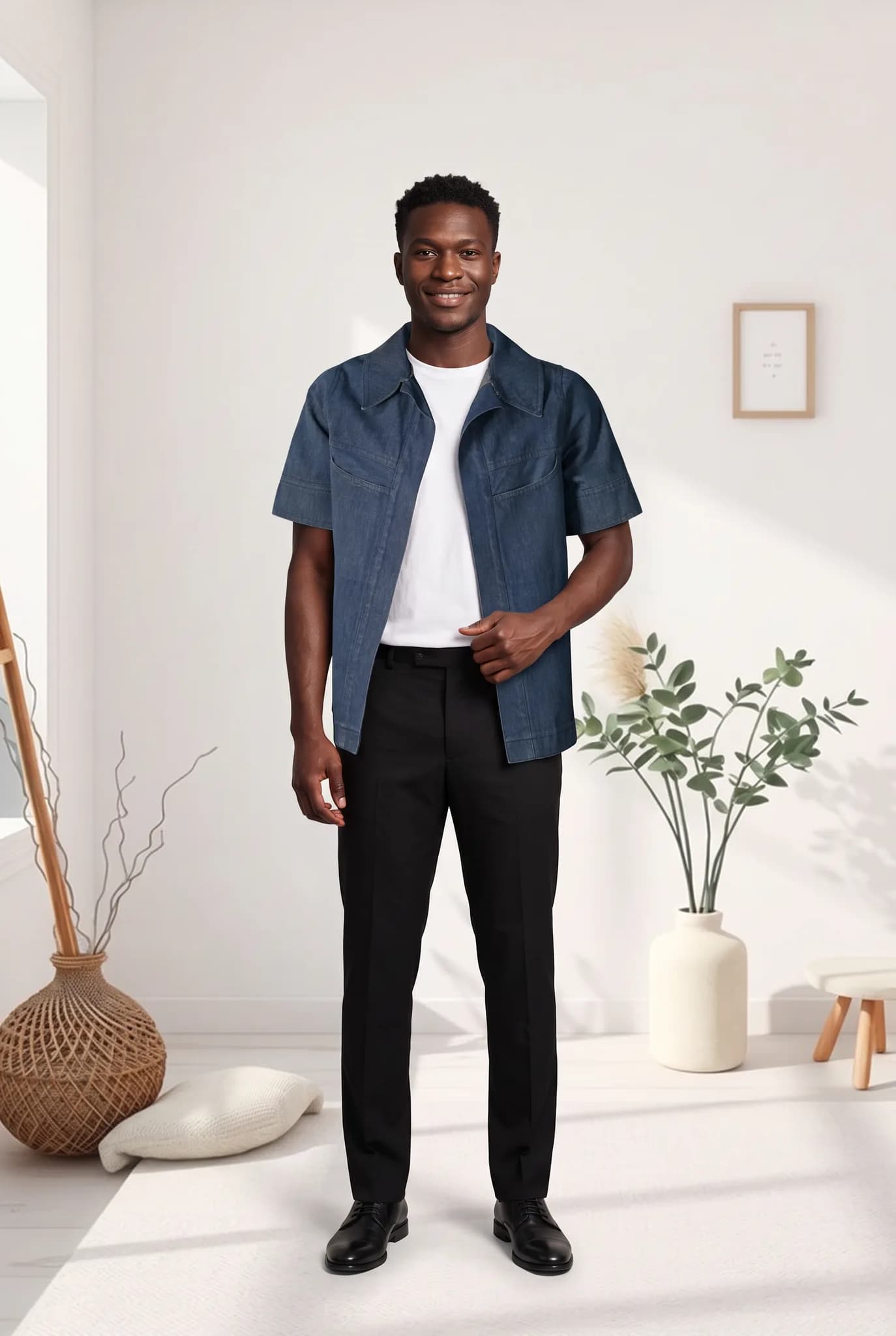
Modelfy is built only for this job. You upload a flat lay, hanger, mannequin or phone photo of a garment, choose a model, pose and scene, and get an on-model photo, usually within minutes. You can save your own AI models for a consistent catalog, make extra angles of a shoot and use ready-made scene templates. Pricing starts at $29 a month and you can try it free. Read how much AI fashion photography costs for the full breakdown.
Where it is not the best choice: if you sell furniture, food or cosmetics as well as clothing, a general product photo tool will cover more of your range.
2. AI tools for background removal and clean product shots
Every marketplace and most stores want clean product images. Removing backgrounds by hand is slow.
What to look for: clean edges on hair, fur and fine fabric, batch processing and no watermark.
General product photo apps such as Photoroom and the background removal in Canva do this well and cover any product type. If you only need it for clothing photos, our free AI background remover and batch background remover run in your browser with no signup, and your photos are not uploaded to a server.
3. AI tools for product descriptions and copy
Writing hundreds of product descriptions, size notes and emails is exactly the kind of repetitive writing AI handles well.
What to look for: a tool you can give your brand voice, your fabric and fit details and your rules, so the copy sounds like you and stays accurate.
General assistants such as ChatGPT, Claude and Gemini are strong here. If you sell on Shopify, Shopify Magic can draft product descriptions inside your admin. Whatever you use, check fabric content, care instructions and sizing by hand. AI writes confidently even when it guesses.
4. AI tools for design and mood boards
Image generators such as Midjourney are useful early in the process, for mood boards, print ideas and exploring a look before you sample it.
Where they fall short for selling: they draw a new garment every time. They cannot put your exact jacket, with its real buttons and stitching, on a model. Use them for ideas, not for product pages. Our article on why most AI fashion photos still look fake explains why.
5. AI tools for social media and ad creative
Ads need a constant supply of new images. Creative fatigue sets in quickly, and every new test needs fresh visuals.
What to look for: tools that resize one image for every placement and make variations quickly. Canva handles layouts and resizing for most brands. For the photos themselves, the cheapest source of new creative is usually your own catalog: put the same garment on a different model or in a new scene and you have a new ad to test. Our free batch Instagram resizer fits photos to Instagram sizes without cropping.
6. AI tools for running the store
Most store platforms now include AI features for search, recommendations, email and customer support. For a small brand, use the tools already built into your platform and email software first. They are usually included in what you pay and need no setup. Larger retailers with big catalogs look at specialist tagging and personalisation software, which is often more than a small brand needs.
Free AI tools worth using first
You do not need a big budget to start. These cost nothing:
| Job | Free option |
|---|---|
| Background removal | AI background remover |
| Resizing for Instagram | Batch Instagram resizer |
| Working out shoot costs | Photoshoot cost calculator |
| Setting retail prices | Retail price calculator |
| Planning a shoot | Photoshoot brief generator |
| Trying on-model photos | Free Modelfy account, up to 5 photos |
The best AI tool stack by brand size
| Just starting | Growing brand | Large catalog | |
|---|---|---|---|
| Product photos | Free tools plus a credit pack | AI model photos for every new product | AI model photos with a saved cast of models |
| Copy | A general AI assistant | AI assistant with a saved brand voice | Built-in store AI plus review rules |
| Ads and social | Canva | Canva plus new AI model photos for each test | A steady weekly flow of new creative |
| Design | Mood boards in an image generator | Same | Same, plus specialist design software |
Mistakes to avoid
- Using a general image generator for product pages. It redraws your garment, and shoppers notice when the parcel arrives.
- Buying a tool for a problem you do not have. Fix your biggest bottleneck first.
- Skipping the check. Every AI photo and description should be checked against the real product before it goes live.
- Changing models and styles every week. A consistent look is part of your brand. See how to keep AI fashion models consistent and on-brand.
Where to start
For most clothing brands, the biggest saving is in product photos, so start there. Create a free Modelfy account, put one garment from your range on a model, and compare the result with what you pay for photos today.
Was this article helpful?
Filed under Comparison, Industry, Product
See your own garment on a model
Upload a phone photo of a piece you sell. Your 10 free credits make up to 5 photos, and a photo is usually ready within minutes.
Start for free