

Documentation

How to get good results from Modelfy.

A practical guide to the Modelfy studio: how to prepare garment photos, choose models and backgrounds, spend credits, download images and fix common problems.

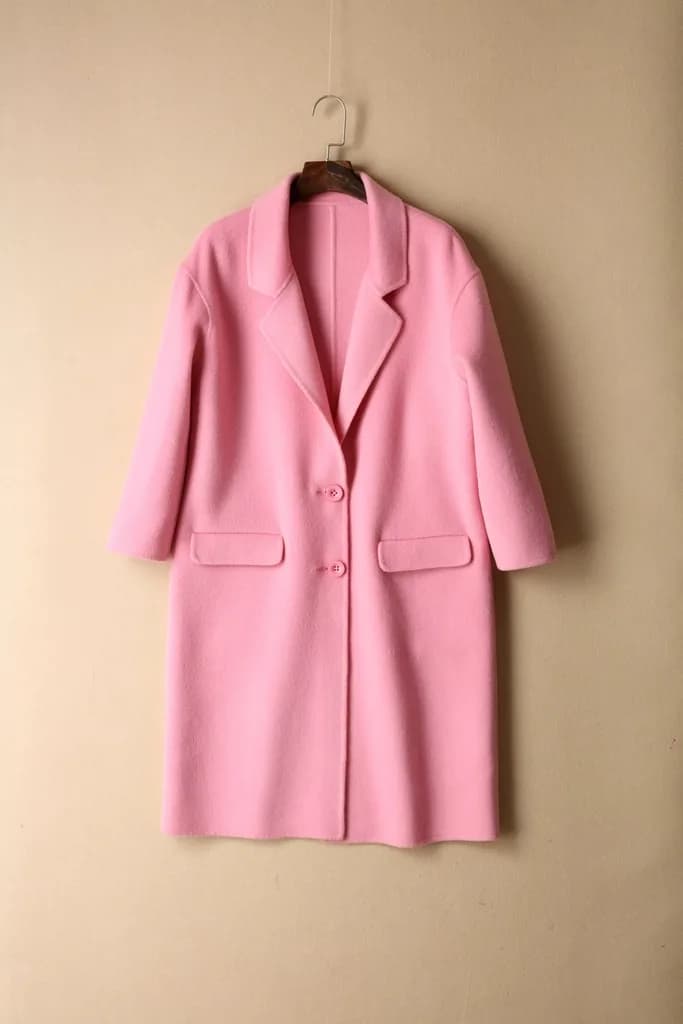
The starting photo: a pink wool coat on a hanger
The photo you upload
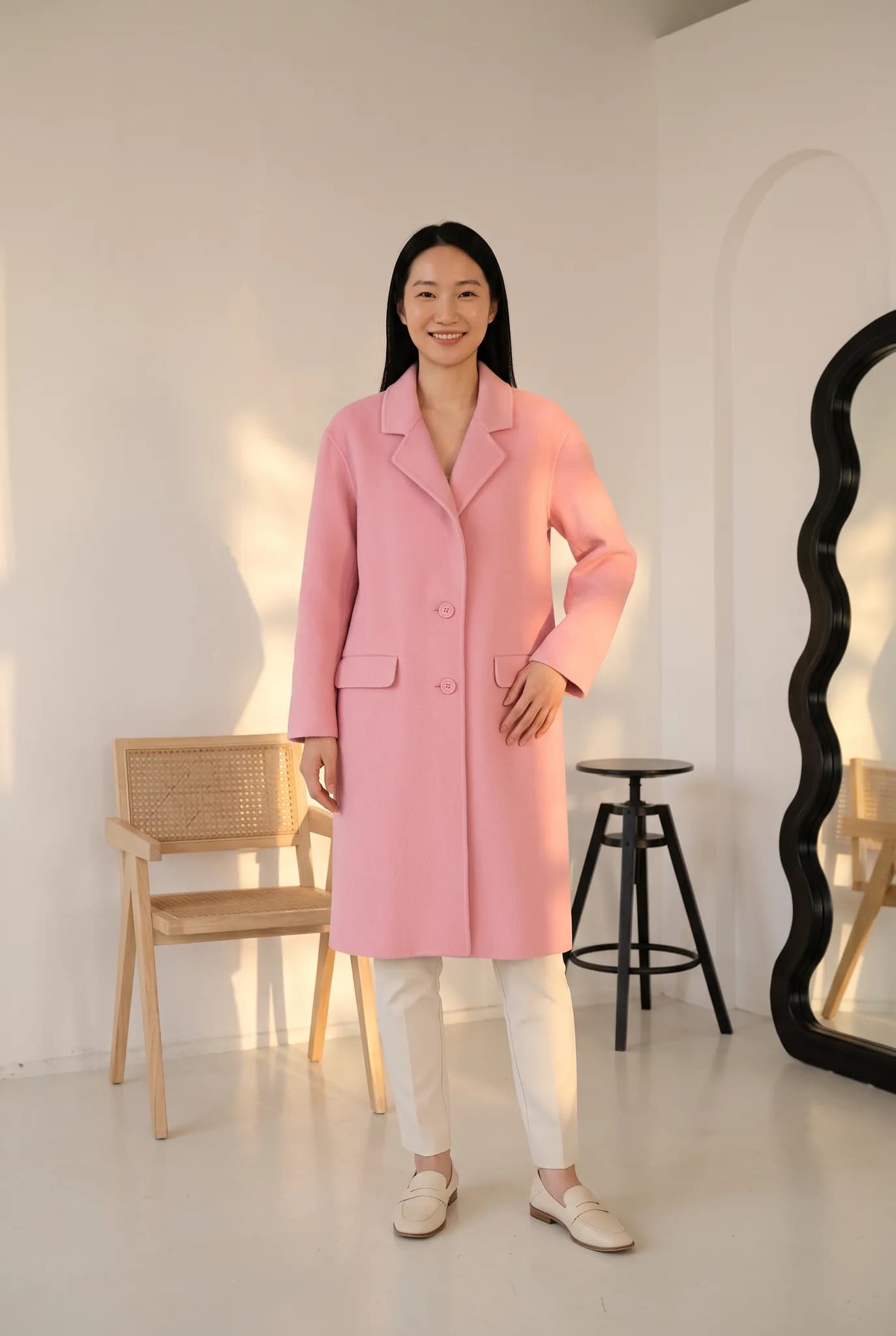
AI model in the pink wool coat in a bright white room
Generated with Modelfy

Everything here comes down to one idea

The clearer your garment photo, the better your result. Most problems people run into can be traced back to the input: bad light, a cropped garment or a blurry print.

This page covers the basics of the studio in plain language. It is written for shop owners, not developers. If you want a walk-through instead, go to the tutorials.

Use this page to

  • Prepare a garment photo before you upload it
  • Understand what credits are spent on
  • Find out what you can do with your images
  • Fix a result that does not look right

The basics

  1. Create an account

    You get 10 one-time credits, up to 5 photos. No card is needed.

  2. Add a garment

    Upload it to your library so you can use it again.

  3. Generate a photoshoot

    Choose a model, pose and background. A shoot starts at 2 credits.

  4. Download your image

    Find it again later in your gallery. Paid plans download at 2K.

AI model in the mustard silk kurta, in a warm room with a carved screen
Generated with Modelfy

Where things are in the studio

Tools

Photoshoot, Create Model, Angle drafts, Virtual Try-On, Ghost Mannequin and Flat-lay.

Library

Your saved garments, models, poses and backgrounds. Silver holds 50 garments, 50 backgrounds and 50 poses, and has 4 custom AI models.

Gallery

Every image you have generated, ready to view and download again.

Settings

Your plan and billing. You can cancel in Settings under Subscription, or through Whop.

Front view of a pink wool coat on an AI model
Front view
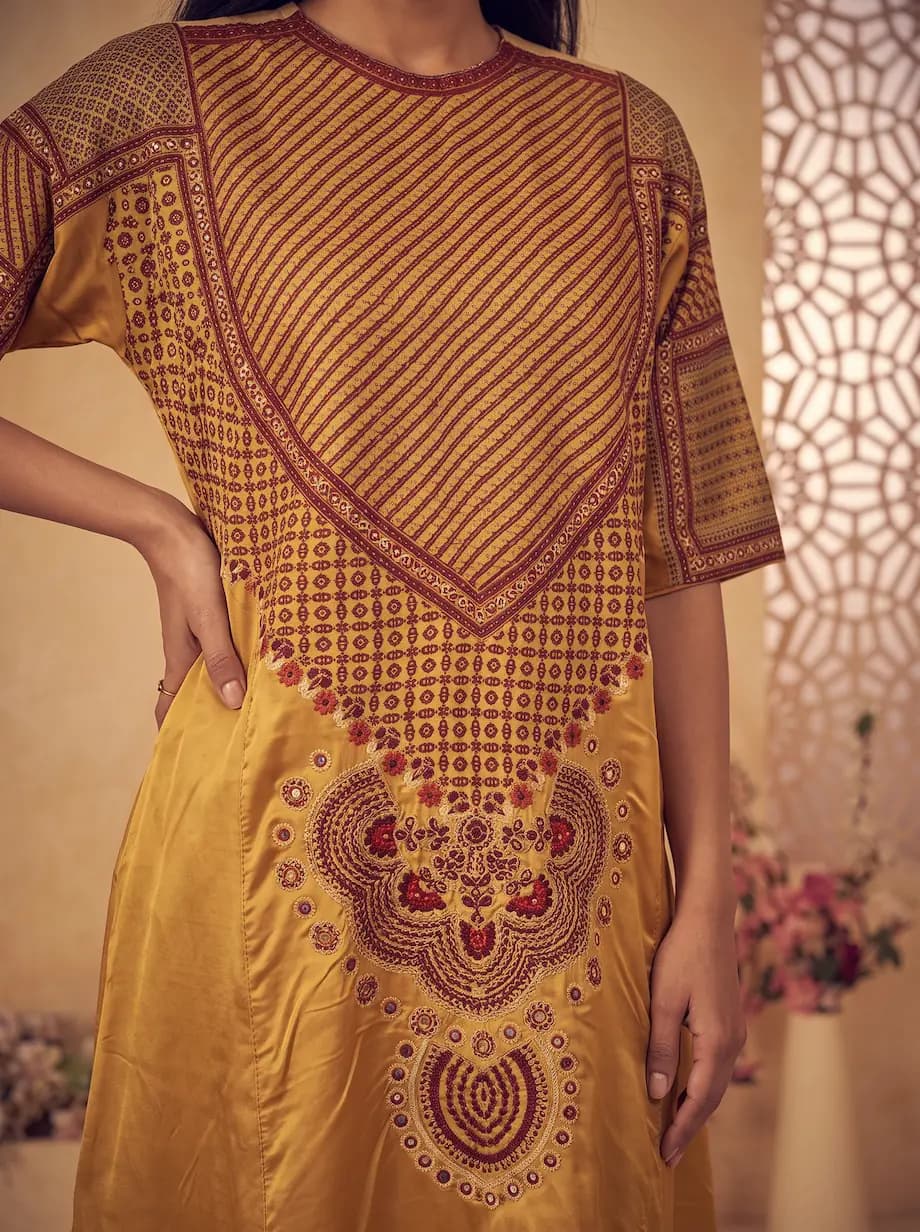
Close-up of the maroon printed yoke on the mustard silk kurta
A close-up of the print

Preparing your garment photo

You do not need a professional camera. You do need the AI to be able to see the garment clearly.

  • Use daylight near a window. Avoid a flash and strong shadows.
  • Show the whole garment. Do not crop the hem or the sleeves.
  • Use a plain background that contrasts with the garment.
  • Smooth out heavy creases, but do not worry about small ones.
  • Get close enough that the print stays sharp.
  • Add back or side photos when those parts matter.

Choosing a model, pose and background

These are the same choices you would make on a real shoot. Your saved choices are what keep a collection looking consistent.

  • Pick a model that suits the buyer you are selling to.
  • Save a model you like instead of picking a new one for each product.
  • Use a simple pose for a main product image, so the garment stays visible.
  • Pick a plain background for listings, and a richer scene for social posts.

How credits work

Every action in the studio has a credit cost, and the studio shows it before you generate.

  • A photoshoot starts at 2 credits. Creating an AI model uses 8.
  • Other tools can use fewer or more. Check the cost shown in the tool.
  • Plan credits refresh on your billing date and do not roll over.
  • Credits from one-time packs do not expire while your account is open.
  • If a generation fails, the credits are returned to your balance.

Downloads and how you can use your images

Images stay in your gallery so that you can come back to them.

  • Paid plans download at 2K, which is enough for most product pages and social posts.
  • Shoots come out in a portrait format. Crop them for square placements.
  • On paid plans, trials and credit packs you may use your images commercially, including in your store, ads, social media and catalogs. Images from free credits are for trying the service and for personal use.
  • Modelfy does not connect to your store, so you upload images yourself.

Troubleshooting a result

If a result looks wrong, change one thing at a time and try again. A new generation uses credits again.

  • Print looks different: upload a closer, sharper photo of the garment.
  • Color is off: take the photo again in daylight, without a colored background.
  • Length or shape is wrong: use a photo that shows the full garment, straight on.
  • Back looks made up: attach a photo of the back.
  • Still stuck: email [email protected] with the image and what you expected.

What these docs do not cover

  • There is no public API documentation here. Ask us if you have a technical need.
  • For billing rules, the Billing, Trials and Refunds page is the one to trust.
  • Tools change over time. Labels in the studio may differ slightly from this page.

What it costs

A photo uses 2 to 12 credits and creating an AI model uses 8. The studio shows the cost before you generate.

Free account
10 one-time credits, up to 5 photos. No card.
14-day Silver trial
100 credits, up to 50 photos. Card required, $0 today.
Silver
$29 a month for 400 credits, up to 200 photos.
Gold
$79 a month for 1,200 credits, up to 600 photos.
Studio
$199 a month for 3,500 credits, up to 1750 photos.
See all plans and credit packs

What photo should I start with?

A clear, well lit photo of the whole garment on a hanger or laid flat. A phone is fine.

Why did my result change the print?

The image is generated, so very fine details can change. A closer, sharper input usually helps, but it cannot guarantee a perfect match.

How do I reach support?

Email [email protected], or message us on WhatsApp. Include a screenshot if you can.

The best way to learn is one shoot.

Upload a garment, follow the tips above and see what you get.

Open the studio

Have a question? Ask us.

Not sure whether Modelfy suits your clothes, or which plan to choose? Send us a message, or chat with us on WhatsApp.

Usually the quickest way to reach us
Chat on WhatsApp+92 335 1228674
Email for this topic
[email protected]
Where we are
Karachi, Pakistan
What is this about?

Ask us anything about Modelfy, your plan or whether it suits your products.

Fields marked * are required.